Posts Tagged ‘Facebook’
Description of ‘Facebook’ Tag:
Wednesday, May 25th, 2011
Like most Internet based companies, Facebook continues to take steps to ensure the safety of its users. Even with all the effort made by Facebook, no amount of Facebook security protocols will eliminate every scam and every hacker. Vulnerabilities will still persist regardless which is why the best protection seems to depend on user awareness. The majority of problem reports can most likely be avoided through proper user education. If users remain unaware of the current scams it leaves them unsuspecting and prime targets for malicious scams. Educating users to be aware the attacks while participating on social networking platforms could drastically help preserve the network integrity.
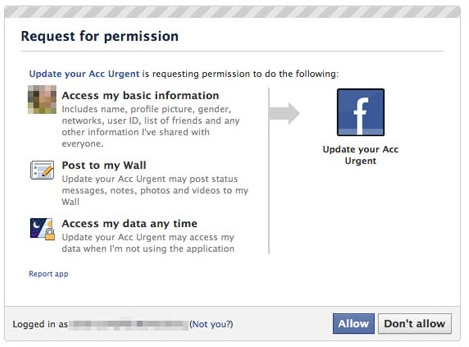
From http://www.Facebook.com, May 2011
The following are the top 4 Facebook scams that continue to plague user experience. These examples show that although Facebook is proactively implementing security precautions, flaws in their security remain. Once problems are identified Facebook should place a greater effort on expressing their concerns and warnings to the users rather than letting their users discover the problem first hand. Even though many users may have heard of these scams it was probably not directly from Facebook but instead from other websites blogs or from other users. For those of you that are hearing about them for the first time due to Facebook’s inability to properly educate the following 4 are the most prominent scams on Facebook today.
Click Hijacking:
For some, these messages may immediately appear to be scams but sometimes the offer is too enticing to refuse. Clickjacking calls for a user to copy and paste text into their browser search bar which infects the computer with malicious code. After a user unintentionally infects their computer the Clickjacker can use that account to distribute spam. Instead of Facebook identifying these types of messages and sending out a notice to users they leave it to the user to find out about it first-hand.
One example of Clickjacking is when a user receives a post from their friend… Read the rest
Tags: Facebook, fraud, malicious content, scam, social network, spam, spam content, Users
Posted in Facebook, Social Media Marketing, Social Networking | No Comments »
Friday, May 20th, 2011
It is common for competing companies to bash one another to gain the competitive edge that they need, however in the most recent case Facebook’s attempt was a huge failure that only hurt their own credibility. Using Twitter, a well known Google critic posted that a public relations firm had requested to add his name on an anti-Google article that they had ghost written. Following this post USA Today also confirmed that they had received a similar request.

Public relations firm Burson-Marstellar who has been representing corporate clients for 58 years was hired to encourage various media outlets to examine Google’s privacy practices. It was unbeknownst that Facebook was the one behind the secret smear campaign with many users initially thinking that it was Microsoft or Apple who was responsible. Once the secret campaign went public it was discovered that Facebook had been the one pulling the strings. This discovery was not only damaging to Facebook but to the integrity of the PR firm Burson-Marstellar as well.
Why did Facebook resort to this desperate attempt to smear Google’s name? It basically comes down to money and although Facebook would seem to be at the top of their game, Google is following closely. Before going awry, Facebook was trying to gain a larger lead against Google. The failed attempt has left both Facebook and BM frantic and eager to regain their ground. Some individuals may expect these kinds of dirty tactics as a regular part of business competition but for a company that emphasizes trusts and privacy like Facebook this backfire is greatly damaging to their reputation. Whisper campaigns like this take place all the time in business and political cases but most the time they do not end with the desperate company becoming the headline. This occurrence has left both Facebook and the PR firm Burson-Marstellar with diminished trust amongst their industries and customers.
Facebook maintains that it was not their intention to smear the competition… Read the rest
Tags: burson-marstellar, Facebook, Google, media, privacy policy, public, smear campaign
Posted in Facebook, Social Media Marketing, Social Networking | No Comments »
Friday, May 6th, 2011
April was a big month for Facebook, among some of the changes that they implemented were new security tools, Facebook Deals, and the Facebook Send button. Each of the new features was designed to provide users with a safe and beneficial user experience.

The first of the three features that Facebook released was a New Suite of Safety Tools. The new security provides users with additional information for user and family safety. In addition to the existing safety content the new resources include articles and videos on Facebook security and privacy. Along with the new safety content users will now be able to use social reporting tools to express to the community what items they do not like or find offensive. Another part of the new security features is two factor authentications. Two factor authentications are used to further prevent unauthorized users from accessing other user accounts. This protection procedure requires a secondary code when logging in from an unrecognized device or location. The last announced security update for Facebook is the option for users to access Facebook using a secure connection over HTTPS. However, because some apps do not accommodate HTTPS Facebook will need to automatically switch between HTTP and HTTPS given the user’s authorization.
Following the implementation of their new security, Facebook also launched Deals on Facebook. Deals on Facebook is currently being tested and is only offered in certain areas like Atlanta, Dallas, Austin, San Diego, San Francisco (many more to follow shortly). This feature lets Facebook users locate deals from local businesses, share, and coordinate plans with other Facebook users. Deals on Facebook will work similar to Groupon and Living Social but are now built right into the social network, which is convenient for both customers and businesses who utilize Facebook.
The latest addition made to Facebook is the “Send” button. This new button is very similar to the “like” button which was introduced last year. The… Read the rest
Tags: Facebook, facebook deals, internet, like button, send button, social networking, Users
Posted in Facebook, Social Media Marketing, Social Networking | No Comments »
Friday, April 8th, 2011
Released to a limited number of users on April 2, 2011 and later expanded for the remaining Google account users, Google +1 has introduced another way for users to recommend websites and share their preferences with the rest of the web.
Google +1
from www.google.com/+1/button
April 2011
The Plus One (+1) feature is not an entirely new concept and is very similar to the “Like” button on Facebook. The major difference seems to be the service’s name and the primary platform which it is utilized on. Similar to Facebook, users can use the +1 option to show that they recommend a website, both on Google as well as on the websites that provide the Plus One option through a widget. In order to take advantage of this new feature a user will need to create a Google account.
Once a user establishes a Google account they can begin selecting the +1 option that appears below each of the search results. After a user has placed their stamp of approval on a listing via the Plus One option, it will appear on a new tab in their Google profile. This newly created tab is where a user is able to manage all of the elements that they have chosen to +1. These options include the ability to remove a recommendation and to choose who has the authority to view the items that you have marked as Plus One. The +1 feature enables you to choose whether the +1’s (recommendations) are private, public, or customized to grant permission to specific users.
If a user decides to keep their Plus One item private they will still be added to the number of people who recommend the site however their profile name will remain hidden. For example below a search result it will display “54 people +1’d this” as opposed to their user name plus the number of other people who have chosen the Plus One option. Users will be able to… Read the rest
Tags: Facebook, Google, Google +1, like, search, search engine, search result, user
Posted in Internet Marketing, Search Engines, Social Media Marketing | 1 Comment »
Friday, March 11th, 2011
Slightly off topic, Facebook’s latest business venture has them pairing up with Warner Bros. to bring Facebook users a new and easy way to rent movies. Facebook users will now be able to enjoy movies directly from the Facebook social media platform. The agreement states that customers will have the option to rent a movie for 48 hours using 30 Facebook credits. In order to do this a user would need to navigate to the selected movie page and click watch. Facebook and Warner Bros. rolled out this plan starting with the film “The Dark Knight”. Currently “The Dark Knight” is the only movie available but the contract will soon expand to the other Warner Bros. films.

Renting movies from Facebook is a great concept from a consumer point of view. This agreement makes it even easier for customers already using Facebook to rent movies and because Facebook already has an enormous following it also guarantees customers for Warner Bros. The way we rent movies has been progressing for years and although they are not the first company to offer online streaming video they too now see the financial opportunity that it provides.
Should businesses like Netflix and Redbox be concerned about competing with Facebook? Although this development may increase competition among the movie rental companies I think that it is safe to say that Facebook is still far from dominating this type of business. Facebook may provide viewers with a new way to experience their favorite films but there are still some downsides to this option. For example, other companies can offer viewers the option of multiple viewing platforms like televisions, gaming consoles, and computers whereas Facebook limits a customer’s option to view it from a computer only (though smart phones are computers). Currently being limited to Warner Bros. films also ensures that Netflix and Redbox will more than likely remain on top of this industry.
Since this is only the beginning and a test run for Facebook’s video renting service it doesn’t pose an immediate… Read the rest
Tags: Facebook, movies, netflix, warner bros
Posted in Facebook, Social Media Marketing | No Comments »
Friday, March 4th, 2011
People who are familiar with Facebook apps (applications) already know that in order to use them they require access to basic information from your account. Before using these apps a user encounters a permission request prompt to access their basic information and it is completely up to the individual to approve or deny that request. Recently Facebook has entertained the notion of applications that requires access to addition personal information found in user accounts. Like the previous request prompts the new apps would require access to your basic information as well as additional data such as your phone number and mailing address.

Although the applications would not have access to your contact information unless you provide them with authorization, this concept has caused concern for users. After announcing the news, Facebook Privacy Settings were faced with much criticism and the debacle eventually caused them to briefly abandon the idea. However, recently Facebook has announced that they are continuing as planned with contact information based applications. Facebook has stated that they only delayed this feature in an attempt to construct a better prompt screen that would inform the individuals accessing the application that their contact information is needed in order to continue.
Given the sensitive nature of personal contact information it is understandable that people are weary of this idea. It is important to remember that Facebook will still maintain their promise regarding not giving out any of your personal information unless you allow them to. If users do not want an application to access their phone number or address then they have the option of not using these programs.
Facebook is currently home to more than 550,000 applications. A number of applications have a legitimate reason for accessing your phone and address, but if you are unsure about sharing your information there are still plenty of other applications to enjoy where the contact information is not needed. Due to the buzz around this issue people have began to automatically assume that Facebook… Read the rest
Tags: applications, contact, contact information, Facebook, information, internet, Users
Posted in Facebook, Web Tips | No Comments »
Friday, December 10th, 2010

hypothetical Google plus one logo
Hey everyone it Dustin again and thank you for visiting our Blog.
By now most of us are using or are familiar with Twitter and Facebook but have yet to hear about Google’s new social network venture. The question is can another social network establish itself amongst the ranks of Facebook, Twitter, others? These social network giants leave little to no room for any new entries but that isn’t stopping nor discouraging Google. The talk is that Google has once again been working on its very own social networking site for some time now. They had previously announced it as code named Emerald Sea however they seem to now be playing with the title Google Plus One or Google+1.
Google’s previous attempts to enter social networking include Google Me and Google Buzz. These setbacks however have done little in the way to dishearten Google. Scarce details are available. On top of that hose details out there is mainly in the blogosphere and aren’t exactly concrete. But if anyone can find a home in the social network market it would be Google which is already a giant in its own right. I’m actually kind of surprised Google hasn’t successfully created a social media network already.
Some details speculate that the Google plus one would be like Twitters Retweet Button or could be as simple as a toolbar. Social media and networking sites are huge undertakings which need to be managed constantly to take on a life of their own. In my opinion a toolbar would be the wrong way to go. If Google is going to compete against twitter and Facebook then it’s going to take more than a tool bar across Google’s existing applications. It’s hard to get a clear picture so far but I’m sure users don’t need any more toolbars, plus a toolbar would do little to distinguish Google from the existing social networking sites. I just don’t see a toolbar standing up against the full fledged competitors. What do you think? Would you… Read the rest
Tags: Blog Hints, Facebook, Google, networking, seo, social, Twitter
Posted in Social Networking | 1 Comment »
Friday, October 15th, 2010
 Hello there! Welcome to the Internet Beacon’s awesome weblog. If you’re here for SEO tips for small businesses, you’ve come to the right place. Hello there! Welcome to the Internet Beacon’s awesome weblog. If you’re here for SEO tips for small businesses, you’ve come to the right place.
When you think of social media, what comes to mind? Well, for most people, it’s Twitter and Facebook. While the latter has been around for a few years more than the former, Twitter has rapidly made a name for itself. Now that Twitter has become such a huge part of social media, the question that arises is where does Twitter place in the ad game? Apparently, very high.
According to recent studies, Twitter ads are doing exceptionally better than Facebook ads. Specifically, the average amount of links clicked on Twitter is 19 per user whereas Facebook comes in at a measly 3. But why? A good guess is that Twitter is simply easier to use. It allows for quicker communication, despite that communication being limited to 140 characters. Another reason could be URL shrinkers. They make the links easier to post and quicker to access.
The take away here is that Twitter is currently outpacing Facebook for shared links. This means that if you want to get people clicking links to your site, Twitter is the place to be. Make your tweets fun, interesting, and relevant and you should have no problem getting people to notice them.
-Josh
Internet Beacon
Internet Marketing Maryland

Tags: Facebook, marketing, seo, Social Media, Twitter
Posted in Advertising, Internet Marketing, Search Engine Optimization SEO | 1 Comment »
Friday, March 26th, 2010
 Hey everyone, Josh here from the Internet Beacon. We’re a Search Engine Optimization (SEO) firm located in Finksburg, MD. What we do, SEO, is a form of Internet Marketing. Much like traditional advertising, SEO is all about getting your name out there. In this case, we’re working to get your website in front of customers through search engines like Google and Yahoo. For more information, check out our SEO Answers page and our blog post on SEO. This week, I’d like to talk about creating a buzz in social networking. Hey everyone, Josh here from the Internet Beacon. We’re a Search Engine Optimization (SEO) firm located in Finksburg, MD. What we do, SEO, is a form of Internet Marketing. Much like traditional advertising, SEO is all about getting your name out there. In this case, we’re working to get your website in front of customers through search engines like Google and Yahoo. For more information, check out our SEO Answers page and our blog post on SEO. This week, I’d like to talk about creating a buzz in social networking.
Everybody Likes Free Stuff
This is universally true. Whether it’s pens, hats, or coffee mugs, people love getting things for free. Check your desk, odds are you have a pen from a business you’ve visited recently. Promotions on the Internet are similar. You want to give customers something of yours for free so that they come back for more and, at the same time, tell their friends to visit your site. Twitter is great for this. It requires very little interaction on the part of the user, as they simply follow your company name (i.e. @IBeacon) and receive updates from you. Many businesses have used this to attract traffic. They give away free software, consultations, etc. Find what works for you and give it a shot.
People Want the Inside Scoop
Along the lines of giving away free stuff, many people want to know what is going on before others do. You should reward people for their interest in your company. For example, the website Penny Arcade has a mailing list that only sends out a message occasionally, but they always include coupon codes and links that are not publicly broadcast. This is a great way to treat loyal online customers. Try posting a coupon code with limited use on a company Facebook page and see what happens. Remember to plan for a large amount of people taking advantage of these savings. Don’t say I didn’t warn you!
Make Friends and Influence People
For sites like LinkedIn and Facebook, grouping options exist for people and… Read the rest
Tags: Blog Hints, company, create, customers, Facebook, internet, marketing, people, rss, seo, website
Posted in Blog Hints, Search Engine Optimization SEO | No Comments »
Thursday, February 18th, 2010
 Hey, everyone. It’s Josh from the Internet Beacon, again. We’re a Search Engine Optimization firm located in Finksburg, MD. Search Engine Optimization (SEO) means that we work hard so that prospective clients and sales leads find your website before others. For a more detailed look at what we do, check out our page of SEO Answers here and a blog post here. Hey, everyone. It’s Josh from the Internet Beacon, again. We’re a Search Engine Optimization firm located in Finksburg, MD. Search Engine Optimization (SEO) means that we work hard so that prospective clients and sales leads find your website before others. For a more detailed look at what we do, check out our page of SEO Answers here and a blog post here.
This week I’d like to talk to you about social networks. We’ve talked before about Facebook and how to use it for personal reasons. Now, let’s talk about how to use them to your business’ advantage. As most of you probably know, members of Facebook can be fans of various things. A great way to increase your business’ online presence is to set up a fan page for your company.
A “Fan Page” means that you create a page similar to a profile that talks about your company and provides links and information you think your clientele and leads would like to know. This is a great tool for keeping people up to date on corporate events or changes to the business. For example, you could announce that you’re giving away coupon codes to the first 20 people to send you a private message through Facebook. Or, a better example, might be to announce a raffle. All that is required is to be a fan and post something on the company’s wall. This will encourage participation on the community’s behalf as well as spread the word about your business!
From here, users of Facebook will be able to create a link to your company’s page from their personal page. This means that when their friends see what they are up to, they’ll notice that “John Smith is now a fan of The Internet Beacon”. Coincidentally, this is a step we have also taken. You can be our fan here. One thing to note here is that you can get a custom URL for your business, i.e. www.Facebook.com/YourBusiness once you’ve reached 25 fans. That’s all you need to get your business a permanent link in the Facebook hierarchy.… Read the rest
Tags: Blog Hints, Facebook, fan, internet, internetbeacon, search engine optimization, seo, social networks
Posted in Internet Marketing | No Comments »
|