

Posts Tagged ‘Web design’

Tools to Help Acquaint You with Web Design

Thursday, August 26th, 2010

Hey, Josh here from the Internet Beacon.

So you want to build your own website, eh? It’s hard work. There’s a lot of long hours of study of both the coding language and the programs it takes to manipulate it. There’s a reason professionals do this. However, if you need to throw together something quickly or just want to get your feet wet, here are a few program to try.

Apple iWeb

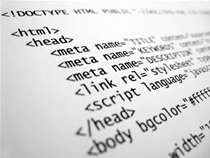
Bundled in for free with every Mac computer, the iLife suite is a series of software designed to let users start doing things with their computers right from the start. Far from shovelware, there products are quality tools. One of these programs is iWeb. iWeb is a great piece of software that takes away a lot of the need to know HTML, the coding language of websites. You can edit and create sites using templates, or start from scratch and make a site using a graphical user interface (GUI) rather than just text.

Adobe Dreamweaver

The de facto standard in web design, Dreamweaver is Adobe’s solution for building webpages. Be warned, it is not for the faint of heart. While Apple’s iWeb will give you a good tool to get a feel for how basic web design works, Dreamweaver is loaded with add-ons and tools for the professional web designer. If you are not accustomed to how this kind of software works, you may easily end up closing it as soon as you opened it.

Microsoft Expression Studio

The latest web design software from Microsoft, Expression Studio feels like a nice middle ground between iWeb and Dreamweaver. Microsoft claims that it is good for beginners as well as seasoned professionals. This is the only one I have not used personally, so I cannot comment in-depth on this software. All I can do is point you to their site and let you check it out for yourself.

-Josh
Internet Beacon

for More info on SEO, check out our SEO Answers page, our SEO Glossary, and our blog posts on SEO. SEM – Search Engine Marketing in Maryland

  • Share/Bookmark

Considerations When Building a Website: Language and Images

Wednesday, June 30th, 2010

design websiteHey, Josh here from the Internet Beacon. We are a Search Engine Optimization (SEO) firm located in Reisterstown, Maryland. What we do, SEO, is a subcategory of Internet Marketing. Similar to traditional advertising, SEO is all about getting your Brand out there. In this case, we´re working to get your website in front of customers through search engines like Google, Yahoo, and Bing. For more quick, useful information, check out our SEO Answers page, our SEO Glossary, and our blog posts on SEO.

Building a quality website is no easy task. Certainly there is software to assist the uninitiated in building a home on the Web (like Adobe Dreamweaver), but making sure that the site has value is something entirely different. The temptation exists to make your website big and flashy. However, the site’s quality often suffers as a result. Here are a few things to look out for.

Language

The language you use on your site says a lot about you. This is not limited to only slang, but the tone in which it is written as well as things like grammar and punctuation. Your website is the way the world will see you. Will they see someone who takes the time to make sure what they have makes sense or will they see someone who hurries to get things posted by sacrificing quality. Traffic is important, but repeat clients are what you want. Make sure that the language you use is tailored to your prospective clients.

Images

Images can be a great way to spruce up your site. As the saying goes, “a picture is worth a thousand words.” You can save time and website space by using a picture appropriately. Conversely, if you use too many pictures on your site, it becomes cluttered with a lot of visual noise. Visitors will become frustrated and the loadtimes, even on a highspeed connection, could become unbearable. We’ve all seen pages that jump around a lot because of too many images fighting for their place.

-Josh

Internet Beacon

  • Share/Bookmark